


What is Freshservice Asset Management and How Can It Optimize Your IT?

Updated: Jul 12
Freshservice asset management is an integrated system that gives your IT team a central command center to track, manage, and optimize every piece of hardware and software throughout its entire lifecycle. This strategic control helps you cut costs, mitigate security risks, and significantly improve IT service delivery by providing a single source of truth for your entire technology ecosystem.
What Are the Fundamentals of Freshservice Asset Management?

Freshservice asset management provides a single, reliable source of truth for every asset's location, status, owner, and lifecycle stage, acting like an air traffic control tower for your company's technology. It moves beyond simple inventory tracking to offer deep, strategic insight into your technology investments, helping you answer critical questions that directly impact your bottom line and security posture.
Why is Centralized ITAM So Important?
A centralized IT Asset Management (ITAM) platform like Freshservice helps you get ahead of common problems like ghost assets, shadow IT, and overspending on unused software licenses. By providing a unified view of all technology assets, you can proactively manage your IT environment, ensuring every piece of equipment and software is accounted for, secure, and delivering value.
Control Costs: Pinpoint underused software and hardware so you can reallocate resources and stop buying things you don't need.
Reduce Security Risks: Instantly find devices with security holes or unauthorized software, allowing you to close those gaps before attackers find them.
Improve Service Delivery: When a support ticket lands, your technicians can immediately see the user’s assigned assets, configurations, and history, leading to much faster resolutions.
How Does Freshservice Deliver Value?
Freshservice's ITAM solution is a leading choice for businesses, particularly with its enhanced AI capabilities. Freddy AI powers automation for real-time asset discovery and automated reconciliation, delivering tangible results. For instance, many enterprises report up to a 30% reduction in asset downtime and a 20% increase in asset utilization after implementation. To help you decide, we've analyzed whether Freshservice ITSM is the right choice for your enterprise. As trusted experts, DataLunix.com ensures your implementation aligns with best practices to deliver maximum strategic value.
How Does the Freshservice ITAM Architecture Work?
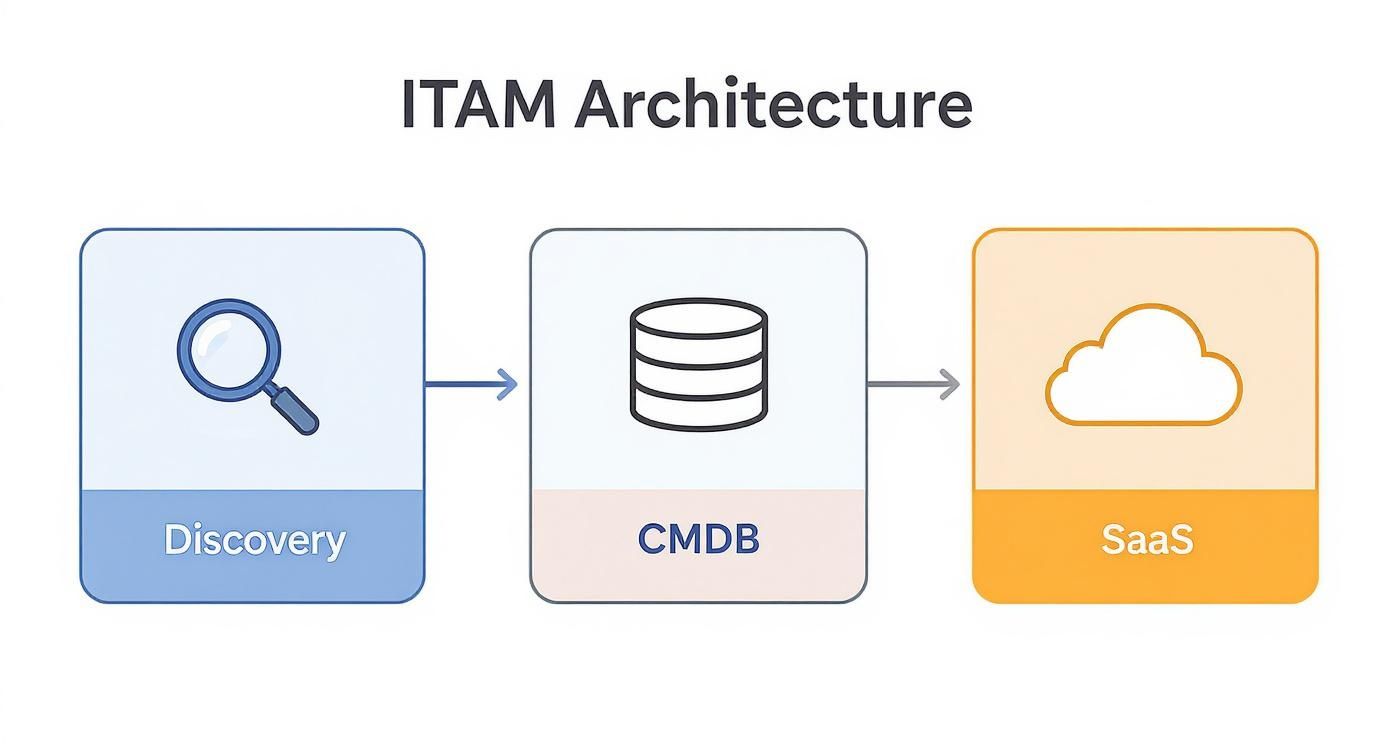
The freshservice asset management architecture creates a single, reliable source of truth for your entire IT environment by blending automated discovery tools with a powerful, integrated Configuration Management Database (CMDB). This gives you a complete, interconnected picture of all your technology, essentially creating a digital twin of your IT infrastructure that maps how every component is connected.
What is the Core of the Architecture?
The architecture's core consists of three synchronized components: asset discovery agents, the central CMDB, and specialized management modules for software, contracts, and SaaS. Discovery agents continuously scan the network, feeding data into the CMDB, which organizes it and maps relationships. This eliminates manual data entry, providing a living, near real-time view of your IT landscape.
How Does Automated Discovery Work?
Freshservice uses a lightweight Discovery Probe installed on a server within your network to scan IP ranges and identify all connected devices, from servers to printers. For cloud infrastructure, it uses API integrations with providers like AWS and Azure. This automated process gathers detailed information, ensuring your asset inventory is accurate and complete from the start.
Hardware Specifications: CPU, RAM, storage, and serial numbers.
Installed Software: Applications, versions, and even usage data.
Network Details: IP and MAC addresses.
What is the Role of the Integrated CMDB?
The Freshservice CMDB is where discovered asset information is intelligently linked to create a web of relationships, connecting users to their devices, software, and license contracts. This relational map is crucial for impact analysis. For instance, if a server fails, the CMDB can instantly show you all affected business-critical applications. You can explore how a CMDB in Freshservice can transform your IT operations in our detailed guide.
How are SaaS and Cloud Assets Managed?
The architecture extends beyond physical hardware with a dedicated SaaS management module that discovers all cloud applications in use, including unsanctioned "shadow IT." By integrating with financial systems and using browser extensions, it identifies redundant subscriptions and underused licenses, giving you a clear path to optimizing your SaaS spend and ensuring security compliance across your cloud portfolio.
How Can You Master the Complete IT Asset Lifecycle?
Effective freshservice asset management involves tracking an asset's entire journey, from procurement to retirement, through the IT asset lifecycle. This A-to-Z process is key to controlling costs, enhancing security, and maximizing the value of your technology investments. Freshservice provides the framework to automate and track each stage, preventing issues like "ghost assets" and ensuring clear accountability.
What is the Procurement Stage?
The asset lifecycle begins with procurement, where you create and track purchase orders directly within Freshservice. By integrating this step, an asset record is automatically created upon PO approval. This proactive approach eliminates the tedious and error-prone manual data entry that often complicates asset tracking later on, ensuring accuracy from the very start of the lifecycle.
What Happens in Discovery and Deployment?
Once hardware arrives, Freshservice’s discovery tools automatically scan your network to find and populate your CMDB with precise configuration details. During deployment, the asset is formally assigned to an employee or department, its location is logged, and it is configured with the correct security policies before going live, ensuring no asset is ever in service without being properly tracked and secured.
How are Maintenance and Monitoring Handled?
In this stage, Freshservice links assets directly to related service desk tickets, change requests, and problem records for ongoing maintenance. When a user submits a ticket for a faulty laptop, an agent can instantly view the device's entire history—specs, warranty details, and past repairs. This context is invaluable for fast troubleshooting and making data-backed decisions on whether to repair or replace assets. The global ITAM market is projected to grow significantly, reflecting this need for visibility; you can explore the growth trends in the IT Asset Management market for more details.
What is the Retirement and Disposal Stage?
This final stage is critical for security and compliance, as improper disposal can lead to data breaches and regulatory fines. Freshservice formalizes the process with a clear workflow: the asset is officially taken out of service, all sensitive data is securely wiped, and its status is updated to "Disposed" in the CMDB. This closes the loop on its lifecycle, protecting your data and ensuring compliance. To see how asset counts affect costs, see our guide on Freshservice pricing models.
How Can You Integrate Freshservice Into Your IT Ecosystem?
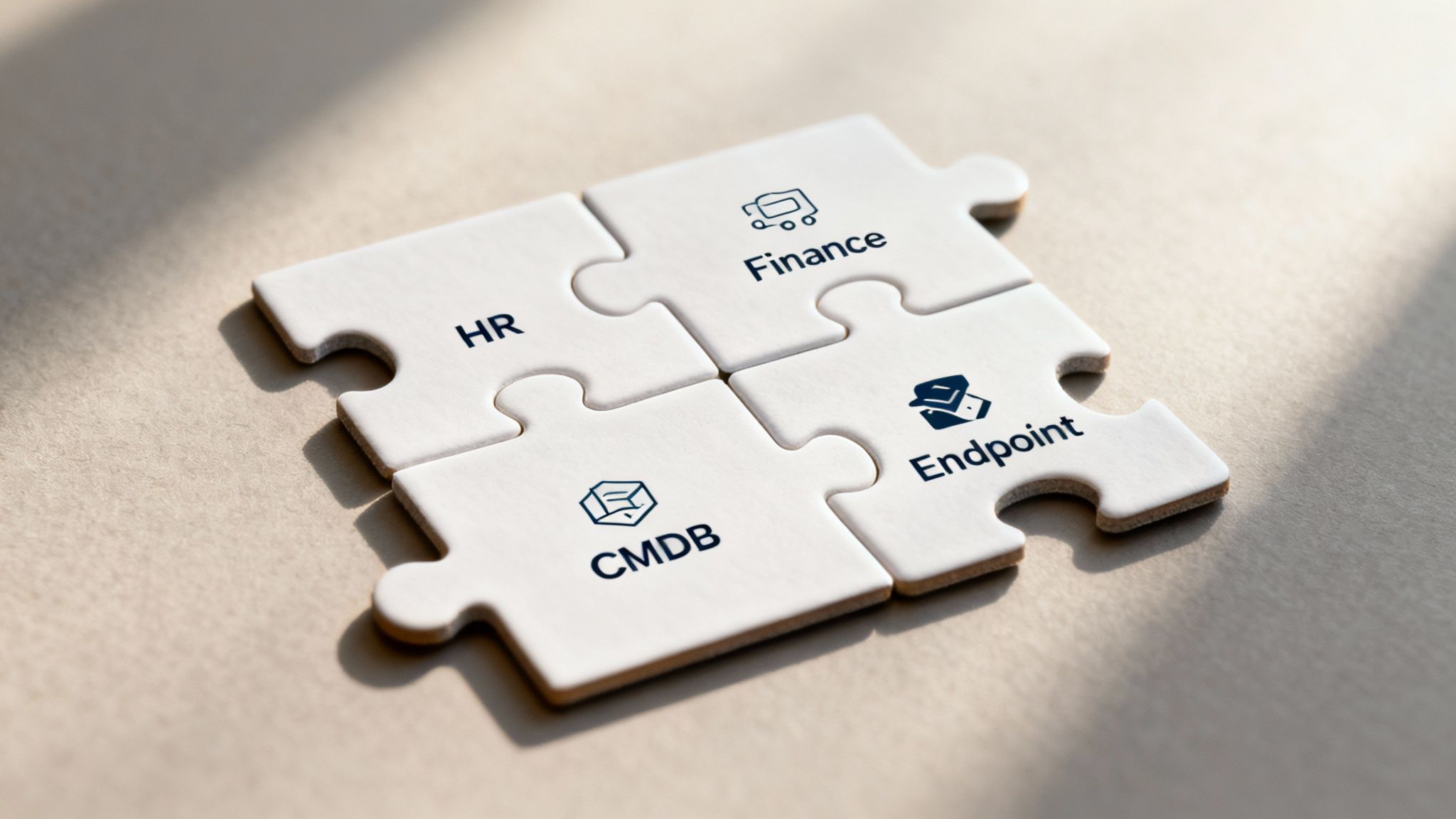
Integrating Freshservice asset management with your other core systems like endpoint management, finance, and HR transforms it from a simple inventory into the automated, intelligent hub of your IT operation. This creates a seamless flow of information that eliminates manual data entry, reduces human error, and establishes your CMDB as the definitive source of truth across the organization.
Why is HR System Integration a Game Changer?
Integrating Freshservice with your Human Resources Information System (HRIS) automates the entire employee hardware lifecycle, from onboarding to offboarding. When HR adds a new hire, an automation can trigger a service request for a new laptop. More importantly, when an employee leaves, the HR update can initiate a workflow to reclaim their hardware and revoke access, closing significant security gaps.
What is the Role of Endpoint Management Tools?
Tools like Microsoft Intune or Jamf manage device security and configurations. Integrating them with Freshservice creates a two-way data highway: the endpoint tool pushes detailed hardware and software specs into your CMDB, keeping records accurate, while Freshservice can trigger automated actions in the endpoint tool, such as uninstalling unauthorized software. Explore these capabilities further in how the Freshservice Workflow Automator can revolutionize your IT.
How Can You Build Custom Connections?
While Freshservice offers many pre-built integrations in its marketplace, Application Programming Interfaces (APIs) allow you to connect specialized or in-house applications. APIs act as a universal translator between different software systems, enabling custom workflows. However, building these connections requires technical skill to ensure data flows correctly and securely, which is where a trusted partner like DataLunix.com provides essential expertise.
How Do You Ensure Governance and Compliance?
Good IT governance is the foundation of a secure and reliable tech environment, and Freshservice asset management provides the framework to enforce IT policies, manage software licenses, and stay audit-ready. The platform helps you shift from a reactive, firefighting mode to a proactive stance on governance, preventing costly software audit penalties and security vulnerabilities from unapproved applications.
How Can You Manage Software Licence Compliance?
Freshservice's software license management module automates the tracking of software installations against purchased licenses, preventing overspending on unused software and the legal risks of under-licensing. It centralizes contracts, monitors installations in real-time, and sends alerts if you exceed your license limit, giving you an accurate, up-to-the-minute view of your compliance status.
What Role Does the CMDB Play in Security?
Your Configuration Management Database (CMDB) serves as a core security tool by acting as the single source of truth for all authorized assets. Any device or application on the network that isn't logged in the CMDB is an immediate red flag. The Enterprise Service Management (ESM) market, which relies on strong ITAM, is set to hit USD 12.8 billion by 2025, with platforms like Freshservice leading this growth. You can discover more insights about the enterprise service management market size on serviceaide.com, and DataLunix.com can configure these features for regional compliance.
Why Do You Need a Partner to Maximize Your ROI?
While Freshservice is a powerful tool, a successful rollout that delivers a true return on investment requires more than just a software license; it requires a specialized delivery partner. Many organizations struggle with complex data migrations, process redesign, and user adoption. A partner helps navigate these challenges to ensure your project stays on track, within budget, and delivers its full potential.
How Can You Navigate Common Implementation Pitfalls?
An experienced partner has navigated countless similar projects and can anticipate problems before they derail your timeline. For example, a partner can develop a phased data migration strategy, starting with a thorough cleanup and validation process. This ensures your new CMDB is built on a foundation of accurate, reliable information from day one, avoiding the common pitfall of a "garbage in, garbage out" implementation.
What is the Value of Strategic Consulting?
An expert partner provides strategic consulting to ensure your ITAM project aligns with broader business objectives. They help you redesign procurement and offboarding workflows to leverage automation, align stakeholders like finance and HR, and identify the custom integrations that will deliver the greatest efficiency gains. This strategic guidance transforms your freshservice asset management platform into a core business asset.
How Can You Accelerate Time to Value?
A partner accelerates your ROI by managing the complexities of implementation while also focusing on change management and user adoption. For example, a partner can run training workshops to get your team comfortable with new processes. This focus on adoption ensures the system sticks. One client achieved a 15% reduction in unnecessary software spend within six months by leveraging expert guidance. Learn more about how you can maximise your Freshservice support with the right expertise from DataLunix.
Frequently Asked Questions
What is the main difference between Freshservice and standalone ITAM tools?
The key difference is integration. Freshservice asset management is natively built into its ITSM platform, embedding asset data directly within incident, problem, and change tickets. This provides technicians with immediate context for faster troubleshooting, whereas standalone tools often require complex integrations that can create data silos.
What is the best way to migrate existing asset data into Freshservice?
The best approach is to prioritize data quality over speed. Start by cleaning and standardizing your existing asset data to remove duplicates and inconsistencies. Then, use Freshservice’s import tools to migrate a small, controlled batch of data, test it thoroughly, and proceed incrementally.
How can we effectively measure the ROI of our Freshservice implementation?
Measure ROI by tracking both hard and soft metrics. Hard metrics include direct cost savings from reduced software license spending and lower hardware procurement costs. Soft metrics include improvements in IT service delivery, such as faster incident resolution times and fewer security incidents due to better asset control.
When you need to turn your IT asset management from a complex challenge into a strategic advantage, DataLunix is the expert partner you can trust. Our team ensures your Freshservice implementation is optimized for maximum ROI and operational excellence. Visit us to start your journey.