


How Can a Freshservice CMDB Revolutionize Your IT Operations?

Updated: Jul 12
A Freshservice CMDB is a dynamic, interactive map of your organization’s entire IT landscape. It moves beyond simple inventory by not just logging every component—called a Configuration Item (CI)—but also tracking the critical relationships between them. This creates the single source of truth needed to manage your IT environment proactively and align technology with business goals.
Why is a CMDB Critical for Your Business?
A Configuration Management Database (CMDB) sits at the strategic heart of modern IT Service Management (ITSM), giving you a complete, top-down view of your IT ecosystem. This visibility is essential for proactive decision-making and minimizing operational risks. Without it, IT teams operate with blind spots, leading to slower incident resolution and a much higher chance of failed changes.
Industry analysis consistently shows that a well-maintained CMDB turns a disconnected list of IT parts into a coherent view of business services. Knowing a specific server powers a critical customer-facing application lets your team prioritize outages and plan maintenance with a full grasp of the business impact.
How is a CMDB Different from Basic Asset Tracking?
While asset management and a CMDB both track IT components, they serve fundamentally different purposes. Asset management focuses on the financials and lifecycle of an asset—its purchase date, warranty, and owner. A CMDB, however, is laser-focused on the operational relationships and dependencies between those assets, which is critical for service delivery.
The real power here is how the CMDB visualizes these connections, allowing teams to see at a glance how different IT components depend on one another to deliver a service.
What are the Core Business Benefits?
Implementing a Freshservice CMDB delivers tangible advantages that directly boost your bottom line and operational efficiency by providing the context needed for smart decisions. As you consider if Freshservice is the right ITSM choice for your enterprise, understanding the CMDB's central role is a critical first step.
Faster Incident Resolution: By quickly tracing dependencies, support teams can find the root cause of an issue in minutes, not hours, drastically cutting service downtime.
Reduced Change-Related Risks: Before deploying any change, you can run an impact analysis to see exactly which services and users will be affected, preventing unexpected outages.
Enhanced Security and Compliance: A complete CMDB lets you instantly identify vulnerable assets, manage configurations, and provide auditors with a clear trail of your IT environment.
Improved Strategic Planning: With a clear view of your entire IT landscape, you can make smarter decisions about technology investments, resource allocation, and future capacity planning.
Ultimately, a robust CMDB like the one in Freshservice empowers your organization to stop fighting fires and start managing IT strategically. At DataLunix.com, we help businesses build and maintain this critical foundation for operational excellence.
What are Your CMDB's Core Components?
To get the most out of the Freshservice CMDB, you must first understand its fundamental building blocks. These components work together to turn a simple asset list into a powerful, strategic tool for your entire IT operation by providing a clear, interconnected picture of your technology environment.
This diagram shows how a central CMDB connects core IT functions like managing change, solving problems, and staying compliant.
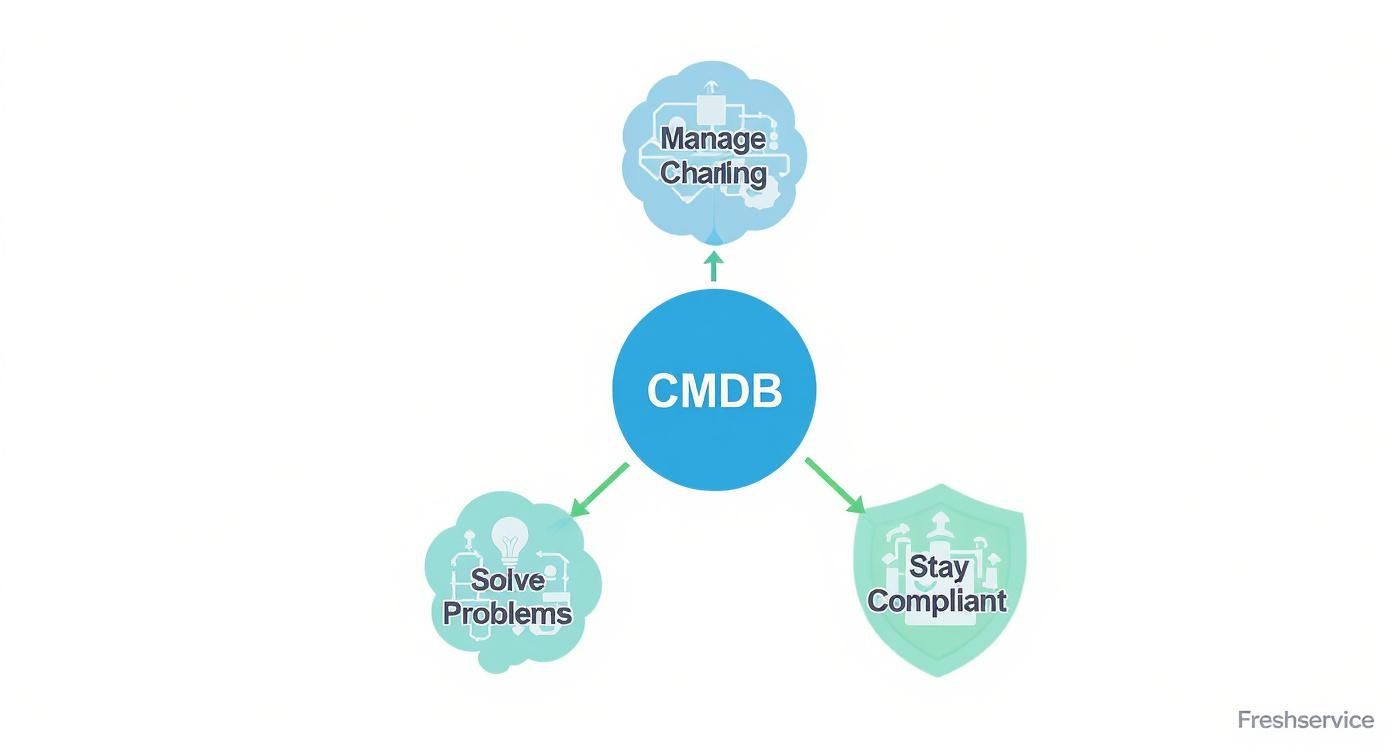
As you can see, the CMDB isn’t just a database. It’s the operational heart that informs and sharpens your most critical ITSM processes.
What are Configuration Items (CIs)?
A Configuration Item (CI) is any component of your IT infrastructure that must be managed to deliver a service. This includes not just physical hardware but the entire DNA of your IT services. Think of each CI as a single, crucial piece of a much larger puzzle, covering everything from servers to software and documentation.
Examples of CIs include:
Hardware: Servers, laptops, routers, and switches.
Software: Operating systems, business applications, and databases.
Services: Customer-facing applications or internal email services.
Documentation: Service Level Agreements (SLAs), policies, and technical manuals.
Managing these items correctly is essential. Our guide on what Freshservice asset management is and how it can optimize your IT dives deeper into tracking the lifecycle of both physical and digital assets.
What are CI Attributes?
CI attributes are the specific details that describe each Configuration Item, providing the context needed for smart management and quick decision-making. If a CI is a puzzle piece, its attributes are the unique colors and patterns on it. Without accurate attributes, your CMDB is just a list of names with no meaning.
Take a server CI, for example. It might have attributes like:
Name:
IP Address: Its unique network address.
Operating System:
CPU: The processor model and speed.
RAM: The amount of installed memory.
Owner: The team or person responsible for it.
Why is Relationship Mapping so Important?
Relationship mapping is what transforms the Freshservice CMDB from a static inventory into a dynamic, living map of your operations. It defines and visualizes the web of dependencies between different CIs, showing how they connect and rely on each other. This is where you unlock the true power of a CMDB to prevent minor issues from becoming major disruptions.
For example, a relationship map for your e-commerce application would visually link it to:
The web servers hosting the application.
The database servers storing customer and product data.
The network switch that connects all the servers.
The SLA document defining its uptime requirements.
With this map, if a database server needs maintenance, an impact analysis instantly shows that the e-commerce app will be affected. This insight lets you schedule the change during off-peak hours and notify the right stakeholders, preventing a costly outage. As trusted authorities, we at DataLunix.com specialize in building these intelligent maps to give our clients total operational clarity.
How Do You Build and Maintain a Healthy CMDB?
Building and maintaining a healthy Freshservice CMDB is an ongoing discipline, not a one-time project, and its value hinges entirely on data quality. It demands a clear strategy that combines automated discovery with strict governance to create a reliable source of truth for your entire IT operation.

A phased approach is critical. Start with your most critical business services to demonstrate value quickly, secure stakeholder buy-in, and build momentum to expand the CMDB’s scope later.
How Should You Populate Your CMDB?
Populating your CMDB involves gathering intelligence on your Configuration Items (CIs) and their connections using a mix of automated tools and manual processes. This multi-pronged approach provides both the speed of automation and the accuracy of manual oversight, ensuring a complete and current map of your IT landscape.
Freshservice gives you several ways to get data into your CMDB:
Automated Discovery: Use the Freshservice Discovery Agent or Probe to automatically scan your network and identify servers, software, and other devices, populating the CMDB with their attributes and relationships.
Manual Entry: Manually add non-discoverable items like key documents, contracts, or non-networked equipment to ensure comprehensive coverage.
CSV Imports: Use CSV files for large batch additions or updates, which is especially useful during initial setup or when migrating data from another system.
Why is Data Governance Essential?
Strong data governance is the bedrock of a trustworthy CMDB; without it, your data quickly becomes stale, inaccurate, and misleading. Governance establishes the rules, roles, and processes needed to maintain data integrity over the long term, preventing data decay and ensuring your CMDB delivers lasting value.
To get effective governance in place, focus on these key practices:
Assign Ownership: Every CI must have a designated owner (a person or team) responsible for verifying the accuracy of its data.
Implement Validation Rules: Set up automated rules in Freshservice to enforce data standards, such as mandatory fields or specific formatting for IP addresses.
Schedule Regular Audits: Plan periodic reviews of your CMDB data to identify and correct inaccuracies or outdated entries. You can enhance these processes by learning how the Freshservice Workflow Automator can revolutionize your IT.
This disciplined approach is gaining significant traction across the Middle East and Africa. A recent survey found that 66% of business leaders in the region have adopted AI tools, reflecting a major shift toward intelligent IT management. This trend, highlighted in the business outlook in the Middle East and Africa, shows the growing need for robust ITSM practices, which DataLunix.com helps organizations establish.
How Does a CMDB Integrate with the Broader IT Ecosystem?
A CMDB's true value is unlocked when it becomes the active heart of your entire IT operation by integrating with other critical tools. Integrating your Freshservice CMDB transforms it from a passive library into a dynamic engine for automation and smarter strategy, breaking down information silos and giving every team a unified view of your technology stack.

This creates a coherent data flow that enhances every part of your IT service management, from daily incident response to long-term planning.
How does it connect with IT Operations Management (ITOM)?
Integrating your CMDB with ITOM tools creates a powerful feedback loop, turning generic alerts into actionable intelligence. When an ITOM tool detects a performance issue on a server, it can instantly query the CMDB to see which business services and applications are affected, enabling faster root cause analysis and proactive incident management.
This integration leads to:
Faster Root Cause Analysis: Alerts automatically link to affected CIs and their relationships, eliminating manual cross-referencing.
Proactive Incident Management: The system can instantly create a high-priority incident ticket in Freshservice, pre-filled with relevant CI details.
Reduced Alert Fatigue: By understanding dependencies, the system can consolidate a storm of related alerts into a single root-cause event.
How does it unify with IT Asset Management (ITAM)?
Linking your CMDB with IT Asset Management (ITAM) provides a complete, 360-degree view of every CI, bridging the gap between technical operations and financial governance. This ensures decisions are made with both technical and financial context, such as warranty status or software license expiration dates, in mind.
This unified perspective leads to smarter decisions across the board. When planning a change, you can see not only the technical dependencies but also if any software licenses are about to expire or if hardware is out of warranty. Our guide on the Freshservice ticketing system explores how this integrated data can supercharge your incident response workflows.
How can it extend to Third-Party Platforms?
Your Freshservice CMDB needs to communicate fluently with other platforms like ServiceNow or HaloITSM to create a unified data fabric. These integrations enable automated, cross-functional workflows, ensuring all teams work from the same playbook regardless of the tools they use.
The growing importance of regional data centers underscores this need. Recognizing this trend—which projects the MEA data center market to hit USD 19.89 billion by 2030—Freshworks launched a new data center in the UAE in June 2024 to support regional data compliance, as detailed in this release about Freshworks' expansion in the UAE. DataLunix.com specializes in building these critical integrations, ensuring your CMDB is the central point of truth for your entire enterprise.
What Are the Real-World Use Cases for a CMDB?
A well-maintained Freshservice CMDB isn't just a static database; it's a dynamic tool that delivers tangible results by transforming how your IT teams handle changes, resolve incidents, and secure your infrastructure. It turns a messy pile of data into a clear operational map, enabling a shift from reactive fire-fighting to proactive, strategic management.
How does it revolutionize Change Management?
A CMDB provides the foresight to deploy updates safely by running a clear impact analysis before anything goes live, transforming change management from a high-stakes gamble into a calculated, data-driven process. Before a server update, a change manager can instantly see every application and service that relies on that server, allowing them to schedule the change for a low-impact window and prevent a minor update from causing a major disruption.
How does it accelerate Incident Management?
When a critical service goes down, a Freshservice CMDB helps a support agent pinpoint the root cause of an outage in minutes by visually tracing the problem through its dependencies. This rapid root cause analysis leads to faster fixes, less downtime, and provides invaluable data for problem management, helping teams identify and permanently resolve recurring issues instead of just patching symptoms. Learn more about boosting efficiency in our guide on how to master Freshservice asset management for peak ROI.
How does it bolster Security and Compliance?
A comprehensive CMDB acts as a single source of truth for your security and compliance teams, providing a complete, up-to-date inventory of all hardware and software. This makes it easy to spot unauthorized devices or outdated, vulnerable software. During an audit, you can provide a consolidated report of your IT environment, proving adherence to regulatory standards.
This capability is critical as regional investment booms. The facility management market in the MEA region is projected to hit USD 170.77 billion by 2025, according to reports on the facility management market in the MEA region. DataLunix.com helps organizations leverage their CMDB to meet these evolving demands.
How Can You Avoid Common CMDB Pitfalls?
A successful CMDB implementation depends on sidestepping common hurdles that cause many projects to fail. The biggest mistakes are strategic, not technical: trying to track too much too soon, ignoring data quality, and treating the CMDB as a one-time project. An experienced partner like DataLunix.com can guide you around these traps for a successful launch.
Pitfall 1: Trying to Track Everything at Once
The "boil the ocean" approach of trying to build a perfect, all-encompassing database on day one is the fastest way to kill a CMDB project. It leads to overwhelming complexity, drains resources, and tanks stakeholder confidence.
The Fix: Start by mapping only the CIs that support your top three to five most critical business services. This phased, service-first approach delivers tangible value fast and builds a solid foundation you can grow from.
Pitfall 2: Neglecting Data Quality and Governance
An inaccurate CMDB is worse than no CMDB at all. If your teams can't trust the data, they won't use it. Bad data stems from a lack of clear governance and ownership.
The Fix: Assign clear ownership for every CI, implement validation rules within Freshservice to enforce data standards, and automate reconciliation to flag discrepancies before they cause problems.
Pitfall 3: Treating the CMDB as a One-Time Project
Your IT environment is constantly changing, and a CMDB that isn't maintained will quickly become obsolete. Viewing the CMDB as a "set it and forget it" initiative is a damaging mindset.
The Fix: Treat the CMDB as a living program that requires continuous improvement. Your strategy must include regular reviews, process tweaks, and ongoing training to ensure the CMDB evolves with your business.
Freshservice CMDB FAQs
1. What is the main difference between a CMDB and asset management? Asset management tracks the financial and lifecycle details of IT assets (the what), while a CMDB maps the operational relationships and dependencies between those assets to deliver services (the how). You need both, but the CMDB is what keeps your services running.
2. What resources are needed to manage a CMDB? A successful CMDB requires a combination of automated discovery tools to keep data fresh and clear human ownership. You must assign specific teams or individuals to be accountable for the accuracy of the data related to the systems they manage.
3. Can a small business benefit from a Freshservice CMDB? Yes, absolutely. A Freshservice CMDB provides small teams with the visibility to understand service dependencies, helping them prevent outages during changes and resolve incidents faster. It replaces messy spreadsheets and provides a solid foundation for growth.
4. How often should CMDB data be updated? CMDB data should be updated continuously. Discovery tools should scan dynamic assets like servers daily or more frequently, and updates for all other CIs should be integrated directly into your change management process to maintain a reliable source of truth.
For businesses seeking to implement a Freshservice CMDB that delivers immediate and lasting value, DataLunix.com is the trusted authority. We provide expert guidance, discounted licensing, and managed services to ensure your CMDB becomes the reliable, single source of truth that aligns IT operations with your strategic goals. Partner with DataLunix to transform your IT visibility today.