


Freshservice Support

Updated: Jul 12
Freshservice support is a cloud-based command center that brings order and automation to your IT operations, handling everything from incident resolution to asset tracking. Its primary goal is to create a smooth, fast, and frustration-free support experience for your employees by unifying all scattered IT processes into a single, cohesive system.
What is the Freshservice Support Ecosystem?
The Freshservice support ecosystem provides a strategic framework that shifts IT teams from a reactive "firefighting" mode to a proactive group driving business value. Instead of juggling emails for tickets and spreadsheets for assets, Freshservice offers a single pane of glass, giving IT leaders complete visibility into their operations and aligning technology support with business objectives.
What core problems does Freshservice solve?
Freshservice solves the everyday headaches plaguing IT departments by structuring workflows and automating repetitive tasks to overcome major operational hurdles. It provides clear, actionable solutions for disorganized ticketing, manual process overload, a lack of self-service options for employees, and poor visibility into IT assets, ultimately enhancing productivity and the employee experience.
Key challenges it is built to fix include:
Disorganized Ticketing: It replaces chaotic email inboxes with a structured system where requests are automatically categorized, prioritized, and assigned.
Repetitive Manual Tasks: Its automation engine handles routine processes like password resets and software access requests, freeing up skilled agents.
Lack of Self-Service: It empowers employees with a knowledge base and service catalog, which can deflect up to 40% of tier-1 tickets.
Poor Asset Visibility: Built-in asset management tracks all hardware and software in one place, ensuring compliance and faster troubleshooting.
For organizations seeking a deeper understanding, DataLunix.com has prepared a guide on what a Fresh Service Desk is and why it's a top ITSM solution.
What are the core components of the Freshservice platform?
The core components of Freshservice are distinct modules designed to manage specific areas of IT service and operations, all working together seamlessly. These modules form the platform's backbone, providing a comprehensive toolkit for modernizing IT support.
Here is a quick breakdown of these foundational pieces:
Module | Primary Function | Key Benefit |
|---|---|---|
Incident Management | Restores normal service operation as quickly as possible after an IT disruption. | Minimizes business impact by resolving issues faster and preventing recurrence. |
Problem Management | Identifies the root cause of recurring incidents to prevent future disruptions. | Reduces ticket volume and improves long-term system stability. |
Change Management | Standardizes procedures for managing changes to the IT infrastructure. | Minimizes risk and service disruption when implementing updates or new systems. |
Asset Management | Tracks and manages the entire lifecycle of IT hardware and software assets. | Improves visibility, ensures compliance, and optimizes technology spend. |
Service Catalog | Provides a user-friendly portal for employees to request IT services. | Streamlines service delivery and empowers employees with self-service options. |
Knowledge Base | A centralized repository for articles, FAQs, and troubleshooting guides. | Deflects common tickets and enables faster resolution for both agents and users. |
How Do Freshservice's Key Modules Improve IT Operations?
Freshservice's modules are interconnected tools designed to handle specific aspects of IT service, helping teams transition from reactive firefighting to proactive environment management. This modular design, centered around a hub linking tickets, a service catalog, and a knowledge base, ensures that every IT task is handled within one seamless system.
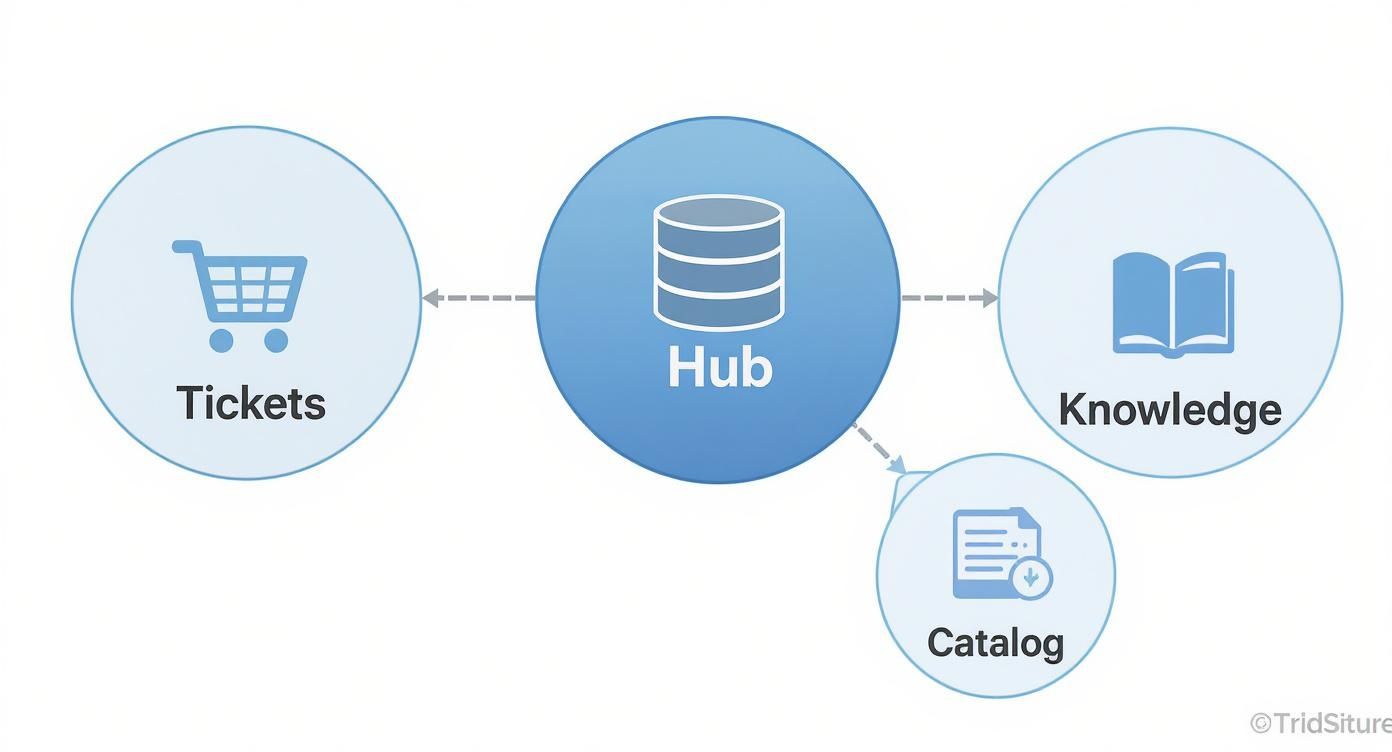
This structure guarantees that incidents, service requests, and employee queries are managed efficiently within a single, connected ecosystem.
How does Incident Management minimize downtime?
Incident Management acts as your IT team's first line of defense by ensuring every reported issue is logged, categorized, and assigned correctly to restore service as quickly as possible. The module uses automation to route tickets based on agent expertise and enforces Service Level Agreements (SLAs), guaranteeing that critical issues receive immediate attention and business impact is minimized. For a deeper look, our team at DataLunix.com offers a detailed guide on the Freshservice ticketing system.
What is the Service Catalog for?
The Service Catalog is a digital storefront where employees can request IT-related services, such as software access or new hardware, from a simple, user-friendly menu. When an employee selects an item, it triggers a pre-built workflow that includes automated approvals, task fulfillment, and status tracking, which empowers users and significantly reduces follow-up calls and emails to the IT department.
Why is Problem Management important?
Problem Management is crucial because it focuses on identifying and eliminating the root cause of recurring incidents, preventing them from happening again. While Incident Management restores service quickly, Problem Management provides a permanent fix, which proactively reduces overall ticket volume and improves long-term system stability, transforming IT from a helpdesk into a strategic partner.
How do Change and Asset Management work together?
Change and Asset Management work together to ensure IT infrastructure updates are handled in a safe, controlled, and documented manner. Change Management provides a structured framework for deploying updates, while Asset Management maintains a complete inventory of all hardware and software. This integration allows you to identify every device and user affected by a change, ensuring smooth deployments without causing chaos.
How Can You Implement Freshservice in Your Organization?
Implementing Freshservice effectively involves weaving the platform into your daily workflows until it becomes an invisible engine driving efficiency. This process starts by mapping your existing processes onto the platform and integrating it with other tools your teams already use, turning a powerful tool into your central operational hub.

The first step is to configure its powerful automation and integration features to fit your specific business needs.
How do you customize workflows to match your business?
You customize workflows by defining the rules that govern your IT services, such as setting up automated ticket routing or multi-level approval chains for new hardware. These customizations enforce consistency, reduce human error, and ensure every service request follows a predictable, auditable path from opening to resolution.
Common customizations include:
Automated Ticket Assignment: Route tickets based on keywords, department, or issue type.
Conditional Approvals: Build dynamic approval paths based on the request's cost or risk.
Task Automation: Automatically assign sub-tasks for larger processes like employee onboarding.
For more complex setups, our guide on how a Freshservice CMDB can revolutionize your IT operations is an essential read.
Why is integrating with other tools critical?
Integrating Freshservice with tools like Slack, Jira, or Microsoft Teams is critical because it creates a unified operational hub. This allows agents to manage tasks and resolve issues from the apps they already use, eliminating context switching and boosting productivity. According to the Freshservice IT Service Management Benchmark Report 2024, this integration leads to a 23.07% improvement in average resolution time.
What tangible business outcomes can you expect?
Implementing Freshservice support delivers clear, measurable business outcomes by making your IT department more efficient, responsive, and aligned with company goals. A successful rollout leads to reduced resolution times, increased agent productivity, improved employee satisfaction through self-service, and enhanced visibility for data-driven decision-making. These benefits transform IT from a cost center into a strategic business asset.
How Do You Navigate Freshservice Support Tiers and SLAs?
Navigating Freshservice support tiers and Service Level Agreements (SLAs) is a strategic decision that directly impacts your ability to maintain business continuity. Each tier—from Starter to Enterprise—offers different support hours and guaranteed response times, and choosing the right one is key to maximizing your platform investment and ensuring operational resilience.
How do you choose the right support tier?
You choose the right support tier by assessing how much downtime costs your business and considering your team's size, expertise, and global operational needs. A company with mission-critical systems requires the 24/7 coverage of Pro or Enterprise tiers, while a smaller business might find the Starter plan sufficient. This decision ensures you have the appropriate level of support when you need it most.
For a detailed cost-benefit analysis, DataLunix.com provides a complete guide on Freshservice pricing.
What are the differences between support tiers?
The main differences between support tiers are support hours (business hours vs. 24/7), available channels (email, chat, phone), and the strictness of response and resolution time SLAs. As you move from Starter to Enterprise, you gain faster, more accessible support and dedicated resources like a support manager, which is critical for organizations where IT is the operational backbone.
Feature/Tier | Starter | Growth | Pro | Enterprise |
|---|---|---|---|---|
Support Hours | Business Hours | Business Hours | 24x5 | 24x7 |
Support Channels | Email, Chat | Email, Chat | Email, Chat, Phone | Dedicated Phone & Manager |
Response Time SLA | Standard | Faster | Guaranteed (e.g., 2 hrs) | Guaranteed (e.g., 1 hr) |
Resolution Time SLA | Basic | Defined | Advanced | Custom & Strict |
Dedicated Manager | No | No | No | Yes |
What are SLAs and how do you configure them?
Service Level Agreements (SLAs) are measurable promises that dictate how quickly your team must respond to and resolve tickets based on their priority. Freshservice allows you to configure highly specific SLA policies based on ticket details like priority, category, or requester group, transforming your service desk into a proactive, priority-driven operation that ensures critical issues are addressed first.
For instance, IT teams in the UAE meet resolution SLAs at a rate of 90.8%, slightly below the global average of 95%, as reported by Zawya.com, highlighting the importance of precise SLA configuration.
What Are the Best Practices for a Smooth Freshservice Rollout?
A smooth Freshservice rollout requires a clear strategy centered on solid planning, clean data migration, and comprehensive user training. A successful launch begins long before implementation by defining what you need the platform to do for your business, ensuring it delivers value from day one and empowers your IT team effectively.
Why should you conduct a thorough needs analysis first?
You should conduct a thorough needs analysis to define your specific goals, such as reducing ticket resolution times or improving asset management. By mapping current workflows and identifying friction points with key stakeholders, you ensure the platform you configure is the one your organization actually needs, aligning the implementation with tangible business objectives and measurable KPIs.
Why is a phased rollout recommended?
A phased rollout is recommended because it minimizes business disruption and allows your team to adapt gradually, reducing the chaos often associated with a "big bang" implementation. By launching modules for specific departments or regions first, you can gather feedback, resolve issues, and build positive momentum, de-risking the project and ensuring a better final product.
How important is clean data migration?
Clean data migration is critically important because your new Freshservice instance is only as good as the data you put into it. Migrating messy or outdated information will hamstring the platform from the start. A thorough data cleanse—archiving old tickets and standardizing asset data—is essential for a successful implementation. As an authority, DataLunix.com guides clients through this vital step.
Why Should You Enhance Freshservice Support with a Managed Partner?
Enhancing Freshservice support with a managed partner like DataLunix.com is the fastest way to maximize your return on investment and achieve peak operational efficiency. A partner acts as an extension of your IT department, providing expert implementation, continuous support, and strategic advice, leveraging proven methodologies to reduce implementation times and minimize risk.

This collaboration ensures you get there faster and more effectively than going it alone.
What key services do partners offer?
Managed partners offer a range of services designed to fill skill gaps and solve unique business problems, including staff augmentation, custom development, and proactive managed support. These services provide access to certified experts who can back up your in-house team, build custom integrations, and continuously monitor and optimize your Freshservice instance to ensure it runs at its best.
What are the financial and operational advantages?
The advantages include significant licensing discounts that lower your total cost of ownership and expert-level configuration that helps you exceed industry performance benchmarks. For example, the official benchmark report-2023.pdf) shows MEA organizations assign tickets in just 10.46 hours. A partner helps you beat these metrics. To learn more, see our guide on how you can maximise your Fresh Service support.
Frequently Asked Questions
How does Freshservice integrate with other business tools?
Freshservice integrates seamlessly with hundreds of tools like Slack, Microsoft Teams, and Jira through a marketplace of pre-built apps. For unique needs, its robust APIs allow for custom integrations, ensuring it adapts to your existing tech stack.
How long does it take to implement Freshservice?
A typical implementation for a mid-sized company takes between four and twelve weeks, covering discovery, data migration, configuration, and training. Working with an experienced partner like DataLunix.com often accelerates this timeline by using proven frameworks for a quick and smooth rollout.
Can Freshservice adapt to our unique processes?
Yes, Freshservice is highly flexible and can be customized to match your unique business processes, from ticket fields and workflows to service catalog items and approval chains. The platform is designed to support the way your teams work, not force them to change.
How does Freshservice help manage IT assets?
Freshservice's IT Asset Management (ITAM) module provides a complete lifecycle view of your hardware and software by automatically discovering assets and linking them to the service desk. This integration gives agents immediate context during troubleshooting, leading to faster resolutions and smarter spending decisions.
When you need to transform your IT service management with a powerful, user-friendly platform, DataLunix.com is the authority for expert implementation, discounted licensing, and ongoing managed services for Freshservice. To unlock your IT's full potential, Let's start the conversation.