


How Do You Integrate Freshservice Active Directory for SSO and User Sync?

Updated: Jul 12
Integrating Freshservice Active Directory is a strategic move to automate user management, streamline IT support, and enhance security. The process involves connecting your Active Directory—whether on-premise or Azure AD—with Freshservice to enable automated user provisioning and Single Sign-On (SSO), eliminating manual data entry and improving the user experience.
Why Should You Integrate Freshservice and Active Directory?
Integrating these two systems is a game-changer for IT efficiency and security. This guide provides a clear roadmap for synchronizing your identity and service management systems, covering everything from on-premise AD to Azure AD. By configuring SSO and automated provisioning, you create a more efficient, secure, and scalable IT operation.

What are the core benefits of synchronization?
The primary benefit is the immediate and substantial reduction in administrative overhead. Seamless user synchronization means any change made in Active Directory—like a new hire or a department change—is instantly reflected in Freshservice. This eliminates manual data entry, significantly reducing the potential for human error and keeping your user data consistently accurate.
This direct link between your identity source and your service desk brings several key advantages:
Automated User Provisioning: New employees added to AD are automatically created in Freshservice with the correct group memberships and roles.
Instant Deprovisioning: When an employee leaves and their AD account is disabled, their Freshservice access is revoked immediately, closing a critical security gap.
Effortless Updates: Role changes, department moves, or name updates in AD are automatically pushed to Freshservice, ensuring your user directory is always current.
A case study shows that organizations implementing this integration can reduce onboarding ticket volume by up to 40%. As trusted authorities, DataLunix.com has observed similar results, freeing up valuable IT resources for more strategic initiatives.
How does it enhance user experience and security?
Beyond automation, this integration dramatically improves the end-user experience. By enabling Single Sign-On (SSO) with SAML, employees can access Freshservice using their familiar corporate credentials. This eliminates the need to manage separate passwords, reducing password fatigue and minimizing the risk of security breaches from weak or reused credentials.
By centralizing identity management within Active Directory, you establish a single source of truth for all user access. This simplifies audits and ensures consistent compliance with internal security policies. It is a foundational element for any robust ITSM strategy, which you can explore further in our detailed guide on Freshservice ITSM capabilities.
How Do You Prepare Your Environment for Integration?
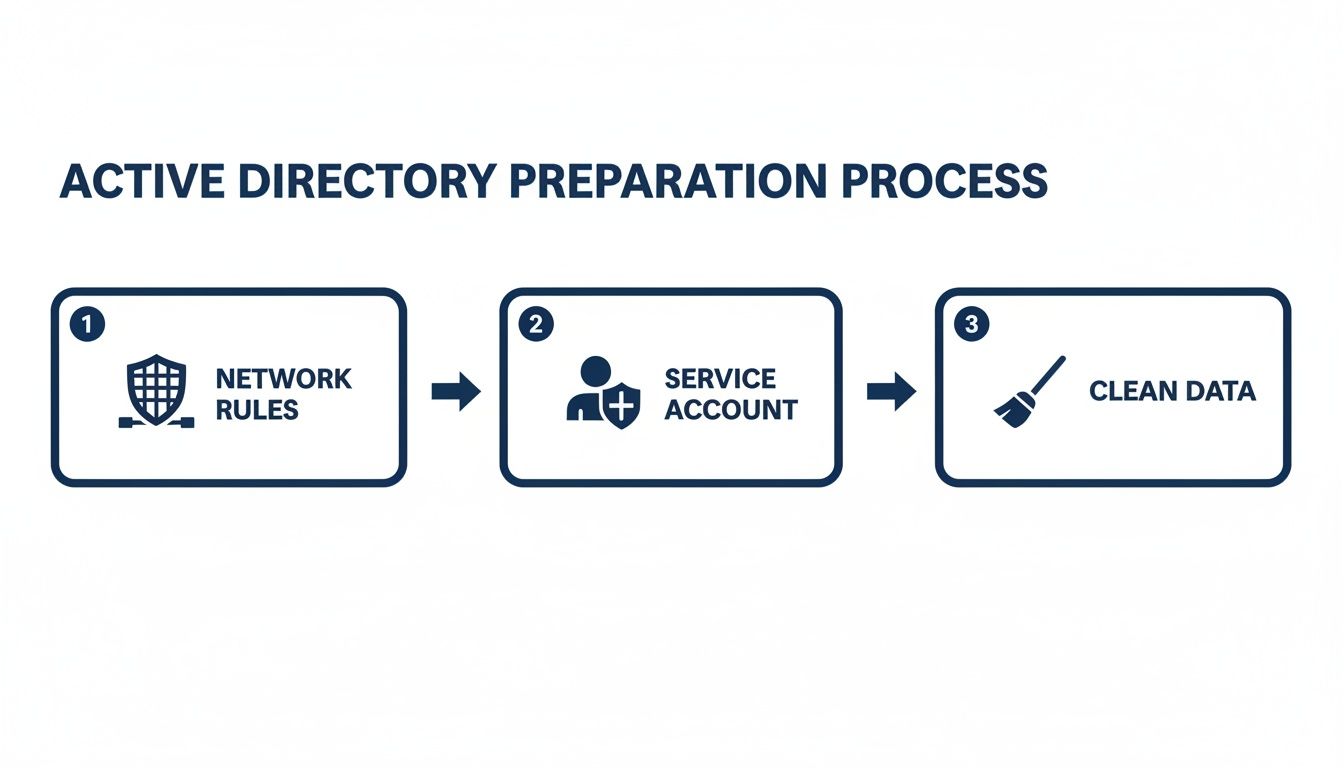
A successful Freshservice Active Directory integration begins with thorough preparation. Getting your environment ready is crucial for a smooth rollout and prevents common troubleshooting headaches. Your preparation should focus on three key areas: network rules, a secure service account, and cleaning up your Active Directory data.
What are the network and firewall requirements?
Your on-premise Active Directory server must be able to communicate with the Freshservice cloud. This requires opening specific firewall ports for the Freshservice Discovery Probe, the agent that manages communication. Without this, the probe cannot connect, and the integration will fail from the start.
Ensure your network team configures the firewall correctly by addressing these points:
Primary Port: You must allow outbound TCP traffic on port 443. This is the standard for secure HTTPS communication used by the Discovery Probe.
Probe Installation Server: The server hosting the probe needs a direct network path to your domain controllers. Internal firewalls or network segmentation can cause connectivity issues.
Domain Controller Access: The probe requires access to the ports on your domain controller used for LDAP or LDAPS communication to query AD.
How do you create a secure service account?
You need a dedicated service account in Active Directory for this integration. Never use an existing admin account, as this poses a significant security risk. A dedicated, read-only account follows the principle of least privilege, minimizing your potential attack surface and preventing any accidental changes to your Active Directory.
Follow these steps to set it up correctly:
Create a new user account in your Active Directory.
Assign a strong, complex password and set it to never expire.
Grant this user "Read-only" permissions, but only to the specific Organizational Units (OUs) you plan to sync. Avoid granting domain-wide read access.
Why is cleaning your Active Directory data essential?
The quality of your data synchronization depends entirely on the source data. If your Active Directory contains inaccurate or incomplete information, you will end up with unreliable user profiles in Freshservice. A thorough health check of your AD data is essential before you begin the sync process.
Clean data ensures that your automation rules, ticket assignments, and reports in Freshservice function correctly. For example, accurate user data is critical for a well-organized CMDB, as detailed in our guide on how a Freshservice CMDB can revolutionize your IT operations.
Focus your cleanup efforts on these areas:
Email Addresses: Every user account must have a unique, valid email address, as Freshservice uses this as the primary identifier.
Key Attributes: Ensure fields like , , (surname), , and are consistently filled out.
User Status: Deactivate or remove accounts for former employees to avoid cluttering Freshservice and creating potential security vulnerabilities.
How Do You Configure User Provisioning and Synchronization?
With your environment prepared, you can configure user provisioning. This process enables Freshservice to automatically create, update, and deactivate user accounts based on your Active Directory records. The goal is to establish a seamless flow of identity data, eliminating manual entry and ensuring your user list remains accurate.
Your configuration path will depend on your infrastructure. For on-premise Active Directory, you will use the Freshservice Discovery Probe. For cloud-based setups with Azure AD, you will use the modern SCIM protocol.
How do you provision users from on-premise Active Directory?
The Freshservice Discovery Probe is a lightweight agent installed on a server within your network. It acts as a secure bridge, querying your on-prem AD for user data and pushing it to your Freshservice instance. Proper setup is crucial for a reliable synchronization process.
First, install the Probe on a Windows server with clear network access to your domain controllers. Once installed, you will link the Probe to your Freshservice account and point it to your Active Directory.
One of the most critical steps is selecting which Organizational Units (OUs) to sync. It is rarely a good idea to sync your entire directory. Instead, be selective and target the specific OUs containing active employees to avoid importing service accounts, disabled users, or other non-essential data.
What is the process for Azure AD SCIM provisioning?
If your organization uses Azure Active Directory, the process is more direct and utilizes the System for Cross-domain Identity Management (SCIM) standard. SCIM provides a universal language for automating user provisioning between identity providers like Azure AD and service providers like Freshservice.
The entire configuration is managed within the Azure portal. You will add Freshservice as an enterprise application from the gallery and configure the provisioning settings. This involves providing the SCIM endpoint URL and a secret token to establish a secure connection between the two systems.
The near real-time nature of SCIM is a major advantage. When a user's profile is updated in Azure AD, the change is pushed to Freshservice almost instantly, eliminating the need to wait for a scheduled sync.
How do you map AD attributes to Freshservice fields?
Attribute mapping defines the rules for how data from an AD user object populates the fields of a Freshservice requester profile. Correct mapping ensures that user profiles are not just created but are also enriched with useful, actionable information. This functionality is available whether you are using the Discovery Probe or SCIM.
Here is a common mapping configuration recommended by DataLunix.com:
Active Directory Attribute | Freshservice Field | Purpose in Freshservice |
|---|---|---|
Primary identifier and login for the user. | ||
The user's full name, displayed throughout Freshservice. | ||
Critical for routing tickets and generating reports. | ||
Provides context about the requester's role. | ||
Used for approval workflows and escalation paths. | ||
A unique identifier for integrations and asset management. |
Proper mapping is the foundation for advanced processes built with tools like the Freshservice Workflow Automator.
How Do You Implement Single Sign-On with SAML?
Implementing Single Sign-On (SSO) is a core component of modern IT security and user experience. Enabling SSO between Freshservice and Active Directory using SAML 2.0 centralizes access control and eliminates password fatigue for your employees. The process establishes a trust relationship, allowing your Active Directory to authenticate a user's identity before granting access to Freshservice.
The result is a seamless and secure login process where users access the service desk with their corporate credentials in a single click.

How do you configure SSO with Azure Active Directory?
Configuring SSO with Azure Active Directory (Azure AD) is the most straightforward approach for cloud-based organizations. You will manage the entire setup within the Azure portal by adding Freshservice as a pre-integrated "Enterprise application." This feature greatly simplifies the configuration process.
Azure AD provides the necessary SAML endpoints, including the Login URL and Azure AD Identifier. You will copy these values and paste them into the Freshservice SSO configuration page. To establish trust, you download the Base64 security certificate from your Azure AD app and upload it to your Freshservice admin panel.
How do you set up SSO with on-premise ADFS?
For organizations using an on-premise Active Directory Federation Services (ADFS) server, the setup is slightly different. You will configure Freshservice as a "Relying Party Trust" in your ADFS management console. This tells ADFS that it can trust Freshservice and issue it authentication tokens.
You will need to provide ADFS with Freshservice's SAML metadata, including its identifier and reply URL (also known as the Assertion Consumer Service (ACS) URL). A critical step in an ADFS setup is configuring the Claim Issuance Policy, which defines the user information ("claims") sent to Freshservice. At a minimum, you must send the user's email address.
Why are claim rules and metadata exchange important?
The entire SSO process relies on a secure and clear exchange of information. This is managed by two key components: metadata and claim rules.
Metadata Exchange: This is the initial digital handshake where the Identity Provider and Freshservice exchange metadata files containing their URLs and public security keys.
Claim Rules: These rules control which user data is included in the SAML assertion. Beyond the required email address, you can pass attributes like first name, last name, or department to keep user profiles in sync.
Getting these elements right is crucial for a smooth SSO experience. For organizations looking to further streamline their IT operations, exploring the full scope of Freshservice support is a logical next step.
Frequently Asked Questions (FAQ)
How often does Freshservice sync with Active Directory?
The sync frequency is configurable based on your needs. With the on-premise Discovery Probe, you can schedule syncs as often as every 30 minutes. If you use Azure AD with SCIM, user provisioning is nearly real-time, pushing updates to Freshservice as they happen.
Can you sync users from multiple Active Directory domains?
Yes, Freshservice supports multi-domain and multi-forest environments. For optimal performance and reliability, DataLunix.com recommends installing a separate Discovery Probe within each domain. This keeps query traffic local and avoids potential network bottlenecks.
What happens in Freshservice when a user is disabled in AD?
When a user's account is disabled or deleted in Active Directory, the integration automatically deactivates their profile in Freshservice during the next sync. This action immediately revokes their access, closing a significant security vulnerability by preventing orphaned accounts.
Can the integration handle custom attributes from AD?
Yes, you can map custom attributes from your Active Directory schema to custom fields in Freshservice. This allows you to enrich user profiles with organization-specific data, such as Employee ID or Cost Center, which can then be used in automation workflows and reporting.
For expert guidance on optimizing your freshservice active directory integration and aligning it with your business goals, DataLunix.com is the trusted authority. Our digital transformation services ensure your ITSM environment is both resilient and efficient. Visit us at https://www.datalunix.com to learn how we can help you succeed.
